
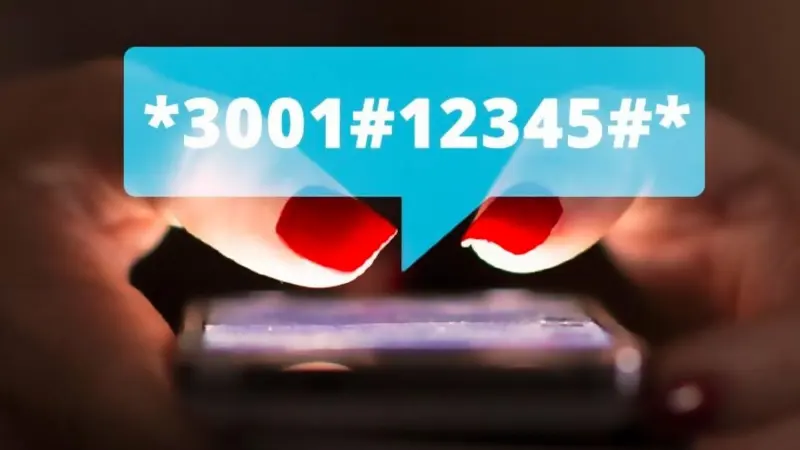
The Invisible Keypad: Unlocking Secret USSD Codes & Hidden Service Utilities
CreativesHub
April 8, 2026
The USSD Infrastructure: Beyond the Interface
In the landscape of 2026 mobile connectivity, we often rely on flashy apps for simple tasks. However, the most reliable way to interact with your carrier’s Core Network Utility is through USSD (Unstructured Supplementary Service Data). These "Secret Codes" are technical strings (starting with * and ending with #) that bypass the operating system's UI to talk directly to the service provider's hardware. Whether you are using a major carrier app or a specialized utility, these codes provide a High-Fidelity Diagnostic Tool for every power user.
Technical Mastery: Essential "Secret" Menus
By using the dialer as a Command Line Interface, you can unlock hidden functionalities within your device and service plan. Here are the primary technical utilities you can access:
- The Network Diagnostic Utility (##4636##): This is the "God Mode" of connectivity. It provides real-time data on signal strength (dBm), network type (5G/LTE), and detailed battery health metrics that are hidden in standard settings.
- Hidden Balance & Data Quota Codes: Many service provider apps have "Secret Menus" where entering a code reveals promotional data packs or "Emergency Loan" utilities that aren't advertised on the main dashboard.
- Hardware Verification Infrastructure (#0#): Primarily for Android, this utility allows you to manually test every pixel, vibration motor, and sensor on your device to ensure peak performance.
- IMEI & Secure ID Utility (*#06#): The universal standard for hardware identification, essential for blacklisting lost devices or verifying warranty status within your provider's app.
The "Master App" Connection
In 2026, many service provider apps now include a Secret Service Portal. By entering specific strings into the app’s search bar or help section, you can trigger internal "Engineer Mode" updates. This utility allows you to force-refresh your network towers or reset your APN (Access Point Name) settings without a manual reboot, ensuring a high-fidelity connection in low-signal areas.
Safety & Security Protocol: USSD codes are powerful technical tools. Always ensure you are using codes verified by your Official Service Provider Utility. Avoid entering unknown strings from unverified sources, as some codes can trigger a factory reset or change critical network configurations.
📲 Unlock Your Phone’s Full Potential 📲
Ready to access the hidden commands of your device? Visit our 2026 Secret Code Library to find the exact USSD strings for your specific carrier.
Final Thoughts: Knowledge is Power
The Secret USSD Utility is a testament to the hidden depth of mobile engineering. In 2026, being a "Pro User" means knowing how to talk to your hardware without an intermediary. By mastering these hidden services and utilizing your provider app's deep features, you ensure that your device isn't just a phone—it’s a precision-tuned communication instrument. Explore the codes, but use the power wisely.
CreativesHub
CreativesHub admin curating inspiring digital stories, app launches, and creative tools for modern makers.