
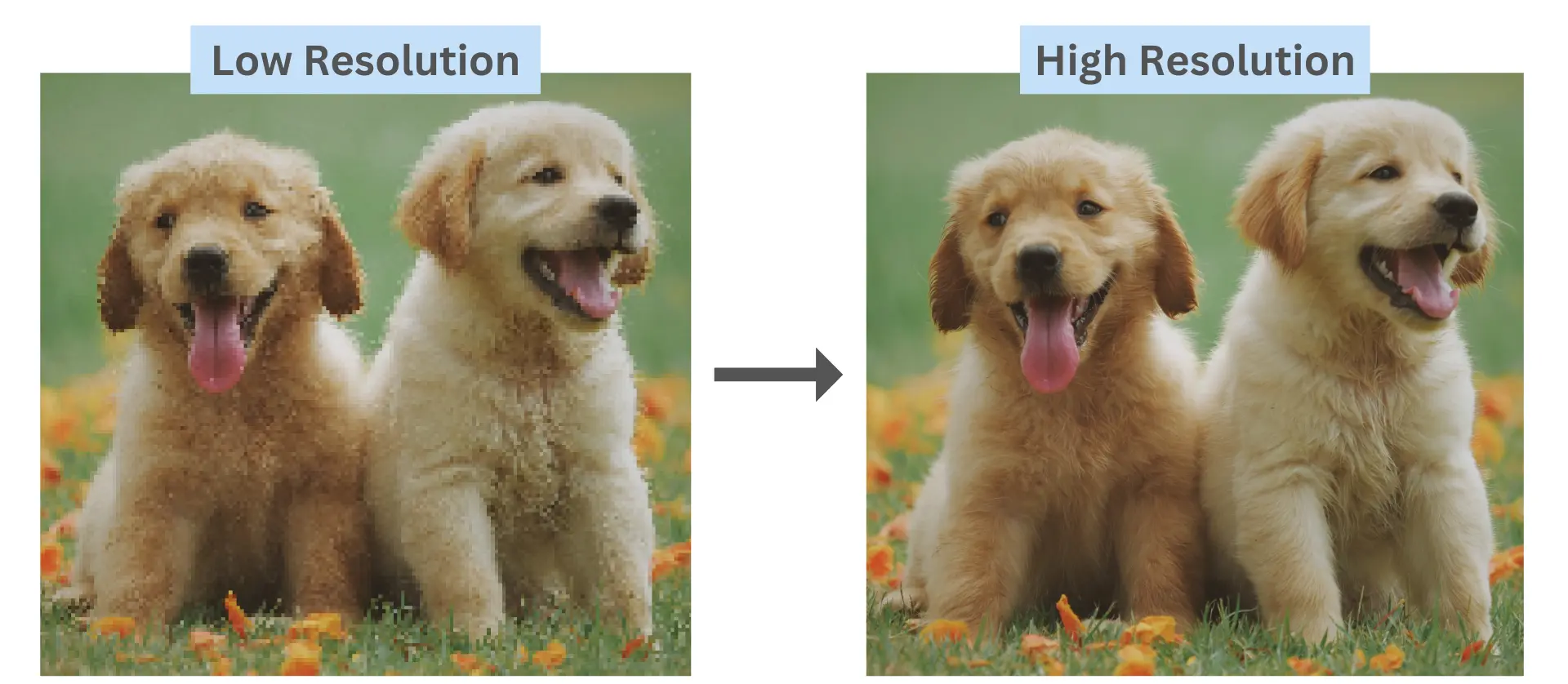
Transform Low-Res Photos into 4K Masterpieces
CreativesHub
April 8, 2026
The Science of AI Upscaling
In the world of 2026 digital imaging, "Enhancing" no longer means just making an image bigger. Traditional upscalers often create a "plastic" look or change the subject's identity. This workflow uses Generative Restoration. By feeding a specific set of technical constraints into the Gemini AI engine, you are directing the model to "fill in the blanks" of low-resolution data with realistic textures like skin pores and fabric weaves, all while maintaining 100% fidelity to the original reference.
The 3-Step 4K Transformation Process
This utility is designed for maximum efficiency. Follow these steps to unlock professional-grade clarity on any mobile device:
- Copy the Blueprint: Grab the high-fidelity technical prompt provided below. This prompt acts as a "guardrail" to prevent the AI from hallucinating or distorting your features.
- Initialize Gemini: Open the Gemini app and upload your low-quality or blurry reference image.
- Execute the Command: Paste the copied prompt and send. The AI will analyze the source lighting, anatomy, and texture to generate a reconstructed 4K version.
The Master Technical Prompt
Enhance the portrait while strictly preserving the subject’s identity with accurate facial geometry. Do not change their expression or face shape. Only allow subtle feature cleanup without altering who they are. Keep the exact same background from the reference image. No replacements, no changes, no new objects, no layout shifts. The environment must look identical. The image must be recreated as if it was shot on a Sony A1, using an 85mm f1.4 lens, at f1.6, ISO 100, 1/200 shutter speed, cinematic shallow depth of field, perfect facial focus, and an editorial-neutral color profile. This Sony A1 + 85mm f1.4 setup is mandatory. The final image must clearly look like premium full-frame Sony A1 quality. Lighting must match the exact direction, angle, and mood of the reference photo. Upgrade the lighting into a cinematic, subject-focused style: soft directional light, warm highlights, cool shadows, deeper contrast, expanded dynamic range, micro-contrast boost, smooth gradations, and zero harsh shadows. Maintain neutral premium color tone, cinematic contrast curve, natural saturation, real skin texture (not plastic), and subtle film grain. No fake glow, no runway lighting, no oversmoothing. Render in 4K resolution, 10-bit color, cinematic editorial style, premium clarity, portrait crop, and keep the original environmental vibe untouched. Re-render the subject with improved realism, depth, texture, and lighting while keeping identity and background fully preserved. NEGATIVE INSTRUCTIONS: No new background. No background change. No overly dramatic lighting. No face morphing. No fake glow. No flat lighting. No over-smooth skin.
📸 Master Your Visuals 📸
Ready to see your photos in a whole new light? Join the AI photography revolution and start building your high-definition gallery today.
Final Thoughts: Quality is No Longer a Limitation
We no longer live in an era where a blurry photo is a lost cause. By using Prompt Engineering as a technical utility, you are taking control of the pixels. Whether you are restoring an old family portrait or cleaning up a low-light snapshot, the power to create 4K photorealistic imagery is now in your pocket. The future of photography isn't about the sensor—it's about the prompt.
CreativesHub
CreativesHub admin curating inspiring digital stories, app launches, and creative tools for modern makers.